1. Introduction & Purpose
This handbook explains the complete online process for registering a Madrasa and applying for affiliation through the Rabita portal. Registration and affiliation are two separate stages.Registration creates the institution record and portal access after Headquarters review. Affiliation is granted only after the Madrasa completes its profile, people, courses, facilities, photographs, documents and applicable compliance requirements, submits an affiliation application, and receives Headquarters approval.
Keep the Madrasa’s official information, authorised applicant details, email, mobile number and Google Maps location ready before starting.
2. Eligibility for Registration
Before the registration form opens, the applicant must confirm all eligibility declarations shown by the portal:
- The Madrasa follows the beliefs of Ahl al-Sunnah wa al-Jama‘ah and agrees with the approach of the scholars of Deoband.
- It either conducts Arabic classes according to the pattern of Darul Uloom Deoband, or teaches Hifz together with Tajweed systematically through prescribed books with examination.
- It has at least twenty-five (25) aided resident students.
- It is not a Madrasat-ul-Banat (girls’ madrasa), because this affiliation route does not admit Madrasat-ul-Banat under the current rules.
All declarations must be true. Incorrect declarations may result in rejection or later action on the affiliation.
3. What to Keep Ready
Prepare the following before registration and affiliation:
- Official Madrasa name, establishment year and full postal address.
- Accurate Madrasa location / Google Maps link.
- Working official email and mobile/WhatsApp numbers.
- Details of the authorised applicant and his relationship to the Madrasa.
- Principal / Mohtamim details and photograph.
- Safeer declaration and Safeer details/photo where applicable.
- Course-wise student counts and staff statistics.
- Live camera photographs required by the portal for the institution and applicable facilities.
- Darul Uloom Deoband affiliation certificate and other supporting institutional documents where applicable.
- Information and evidence needed for assigned compliance frameworks.
Use clear, current and truthful records. Do not upload unrelated or altered evidence.
4. Step 1 — Register the Madrasa
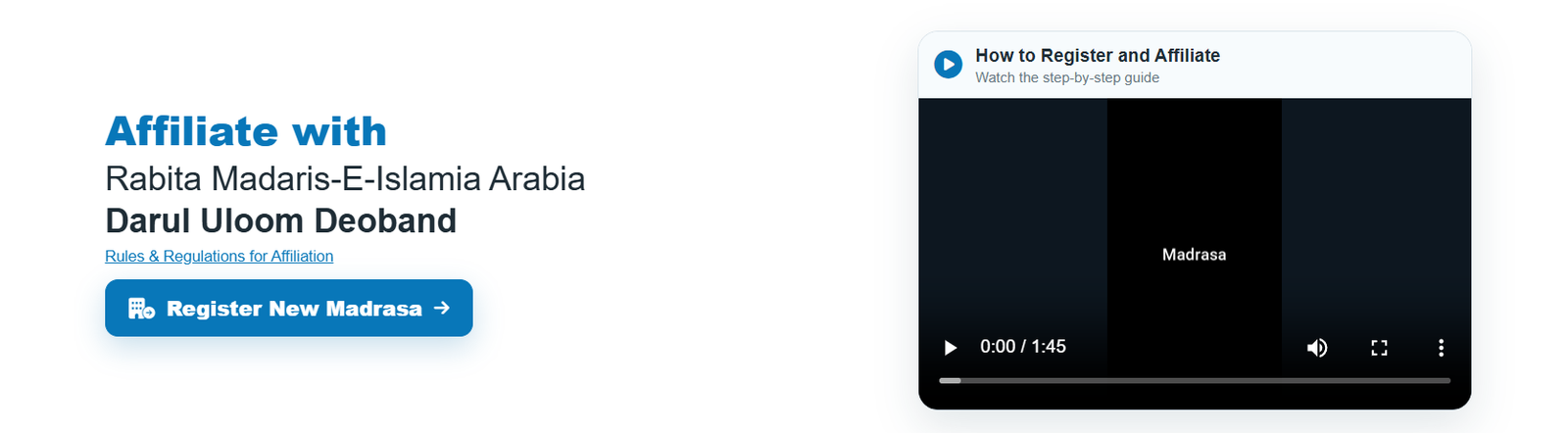
- Open Register New Madrasa.
- Read the introduction and readiness checklist.
- Complete all eligibility confirmations.
- Enter the Madrasa name, establishment year, address and location.
- Paste a valid Google Maps location link or use the available current-location option and verify the map preview.
- Complete the authorised applicant details and relationship to the Madrasa.
- Verify the registration email as required by the portal.
- Complete the identity-verification step shown by the portal, including Aadhaar Offline e-KYC where enabled.
- Confirm that you are authorised to create the Madrasa portal registration and submit institutional information.
- Submit the registration request.
Submitting registration does not itself issue affiliation or membership.
5. Step 2 — Headquarters Registration Review
After submission, Headquarters reviews the registration request and institution details. If clarification or correction is required, provide the requested information accurately. After the registration is accepted, use the Madrasa portal to complete the institution profile.
Do not create duplicate registrations for the same Madrasa. Keep the approved map location and contact information current.

6. Step 3 — Complete the Madrasa Profile
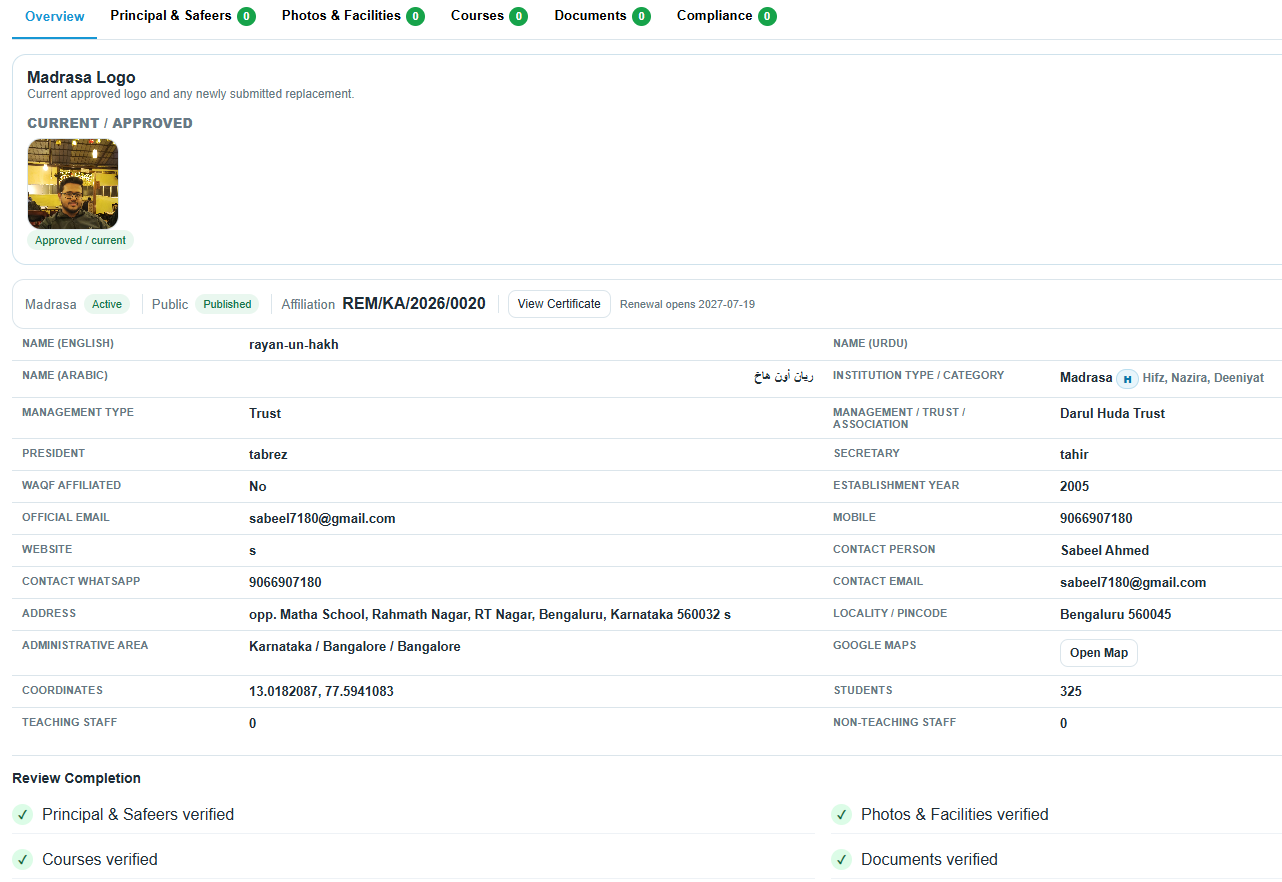
Complete every applicable profile section before applying for affiliation. The portal may require identity and contact details, trust/association information, Waqf information where applicable, institution statistics, courses, student strength, teaching staff, non-teaching staff, facilities and contact person details.
The Principal / Mohtamim is required. Declare whether the Madrasa has a Safeer; when the answer is Yes, at least one active Safeer record is required. Enter names, mobile numbers, qualifications and other requested details carefully.
Course and student figures should agree with the institution totals. Review the profile before submission because Headquarters uses the submitted state for verification.
7. Step 4 — Photographs & Facilities
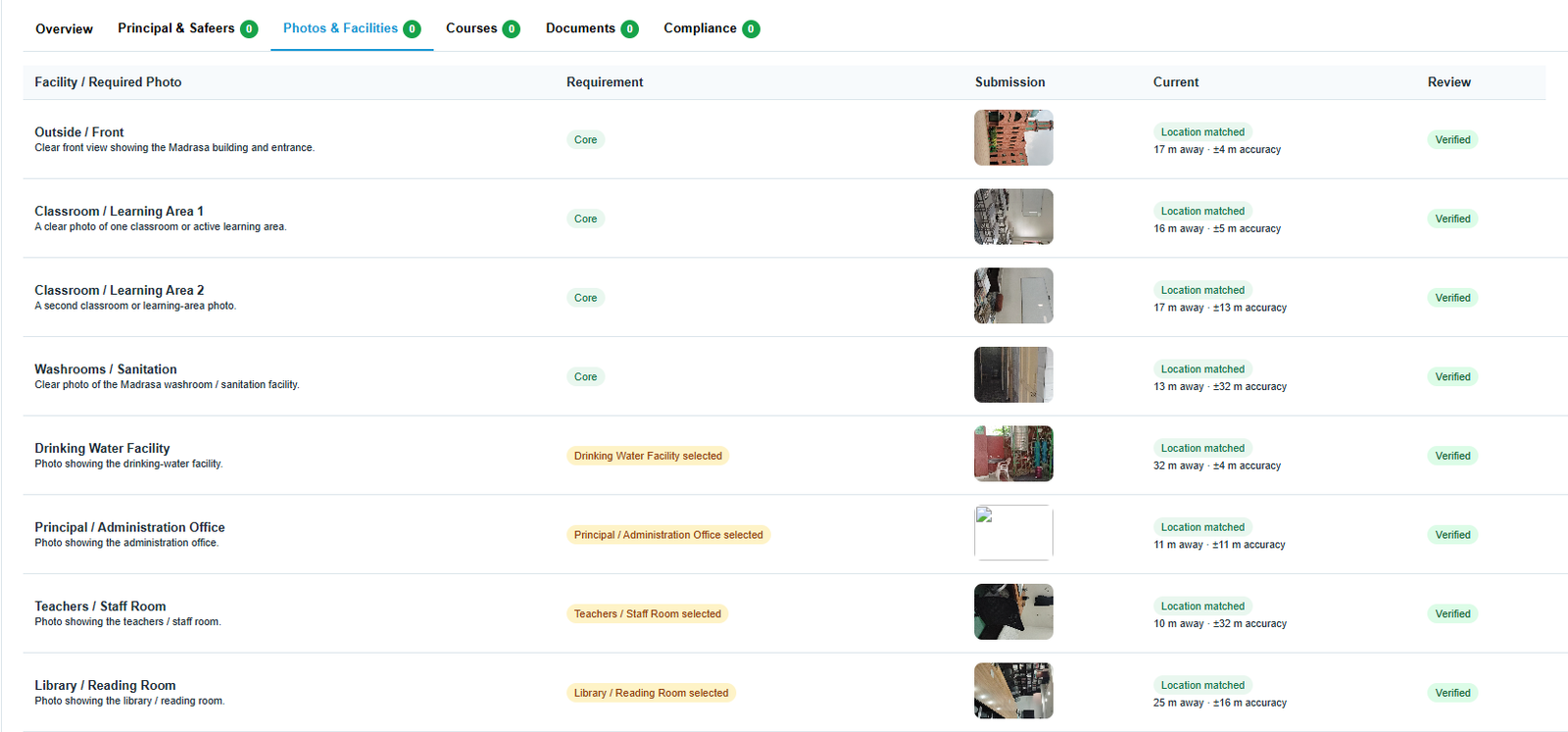
The portal requires photographs for the Madrasa and applicable facilities. Required slots depend on the facilities selected in the profile. Core institutional photographs include the categories requested by the portal, such as the outside/front, classrooms, kitchen/dining and washroom/sanitation, with additional photographs when related facilities are declared.
Photos must be captured using the portal camera flow with location permission. Capture them at the Madrasa’s approved map location and within the permitted distance. The portal records capture location/time and may reject photos that are outside the allowed radius, too inaccurate, expired or not captured through the required flow.
Photographs must be clear, current and genuinely represent the facility named in the slot.
8. Step 5 — Documents, Courses & Compliance
Upload the Darul Uloom Deoband affiliation certificate in the designated document field where required, together with any other supporting proofs requested during review. Use clear PDF/image files and make sure the complete document is readable.
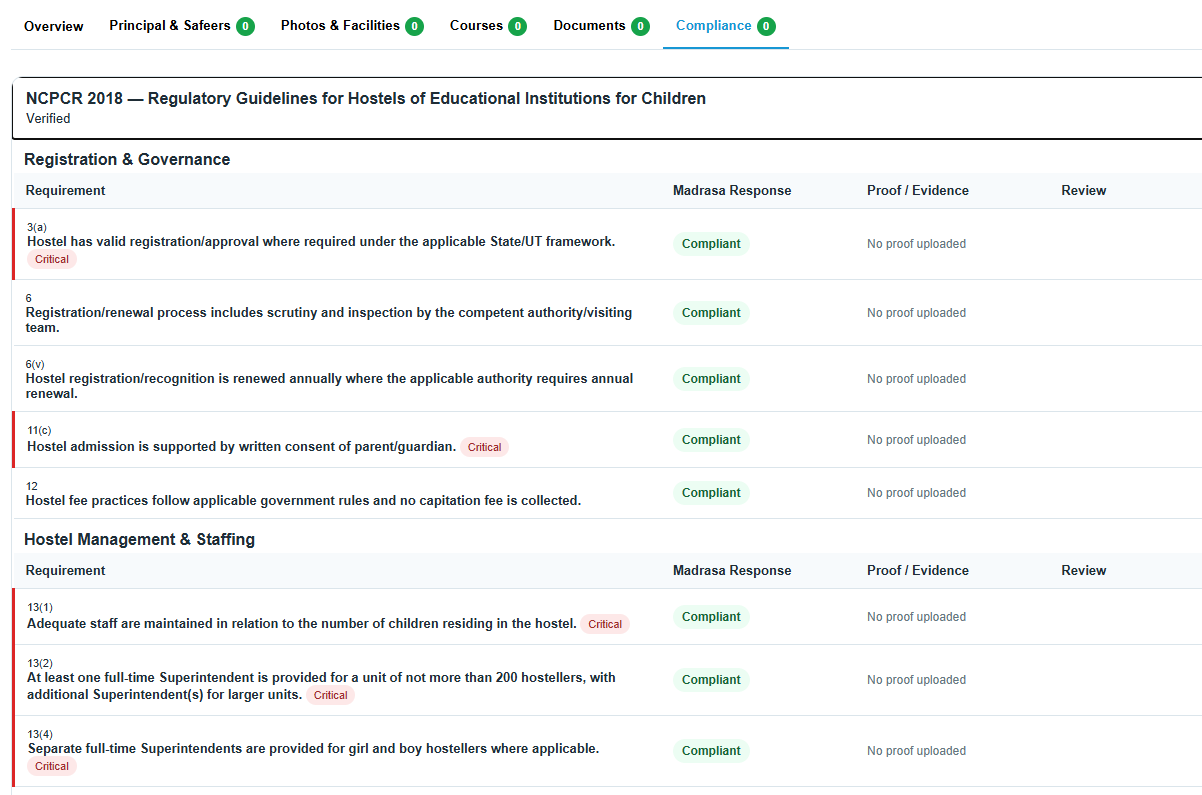
Complete courses and student-strength information. Complete any compliance framework assigned to the Madrasa, answer every applicable item truthfully and attach evidence where requested. A compliance self-assessment may be reviewed or returned for correction by Headquarters.
Do not treat a saved draft as a submitted application. Check that required sections are complete before the final affiliation submission.
9. Step 6 — Submit Affiliation Application
When the profile is ready, submit the affiliation application from the Madrasa portal. The system checks required profile elements before allowing a complete application. The submitted application creates a snapshot of the Madrasa information for Headquarters review.
Application status can move through stages such as Submitted, Under Review, Correction Required, Approved or Rejected. Continue to monitor the Overview & Affiliation section for status and reviewer notes.
10. Corrections & Resubmission
If Headquarters marks a section as Correction Required, read the reviewer note and correct only the relevant information or evidence. A returned photograph must be recaptured through the required camera/location process. A returned document must be replaced with a clear and correct file.
After all requested corrections are completed, resubmit through the portal. Do not create a new Madrasa registration merely because an affiliation application was returned for correction.
Previously verified information remains subject to review if the Madrasa later submits changes.
11. Approval, Affiliation Number & Certificate
Affiliation becomes effective only after Headquarters approves the application and issues the affiliation record. An approved Madrasa may receive a permanent affiliation number and certificate number, together with validity dates and an affiliation certificate as configured by Headquarters.
A verified profile by itself is not the same as active affiliation. Always rely on the current affiliation status shown in the portal and public verification system.
Keep institutional information updated. Material changes may require Headquarters verification, and renewal should be submitted when the affiliation approaches expiry.
12. Important Rules & Good Practice
- Provide only accurate and authorised information.
- Use one institutional record for one Madrasa; avoid duplicate registration.
- Maintain access to the registered email and mobile number.
- Keep the Google Maps location accurate.
- Keep Principal, Safeer, student, staff, course, facility and document information current.
- Use genuine live photographs and readable documents.
- Respond to Headquarters correction notes through the same portal workflow.
- Do not assume that registration, profile verification or compliance verification alone constitutes affiliation.
- Use the certificate/public verification facility to confirm issued affiliation details.
This handbook describes the workflow implemented in the portal. Where Headquarters issues a specific instruction or correction note for an application, follow that instruction.